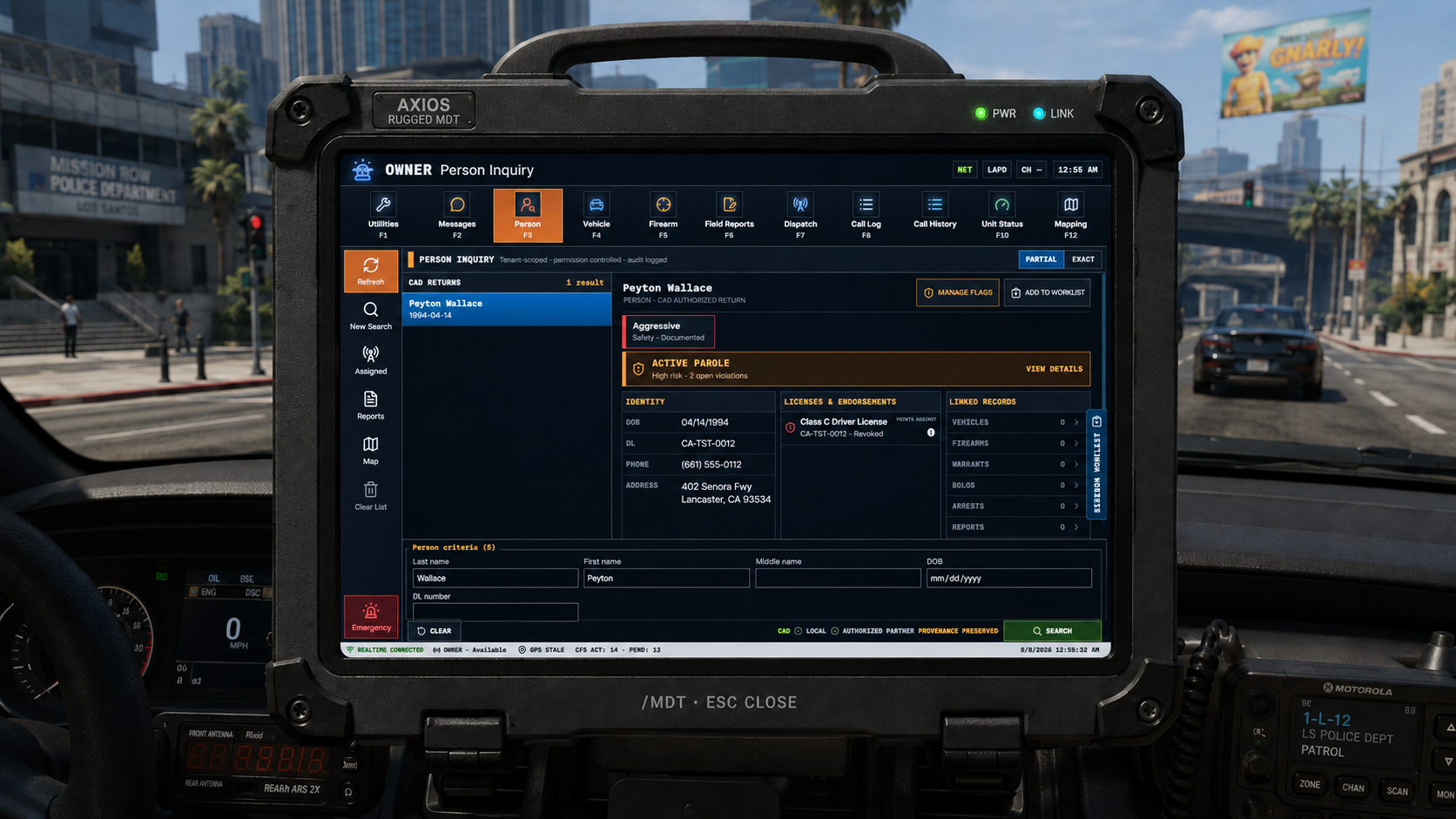
Person inquiry
Search by supported identity criteria and return authorized legal status, warrants, licensing, flags, linked records and contact history with provenance.
The AXIOS Officer MDT brings assigned work, inquiry, records, call history, status and mapping into one rugged field interface while keeping back-office administration out of the way.
The MDT separates assigned work, broader call awareness and historical calls while keeping inquiry, reporting, status and mapping close at hand.
Search by supported identity criteria and return authorized legal status, warrants, licensing, flags, linked records and contact history with provenance.
Plate, VIN and configured vehicle details stay tied to ownership and registration state rather than isolated lookup text.
Search registered firearms and associated ownership information using the community's configured catalog and policy.
Reports, citations, custom forms and Field Interviews live in the operational records area with draft/review workflow where configured.
Assigned work stays separate from the broader open-call log so officers can distinguish their workload from community-wide call awareness.
Closed calls remain available as history rather than disappearing when the active incident ends.
Canonical unit status stays consistent with dispatch and integration data while communities control the terminology users see.
Map and location context are available inside the field workspace using the location quality the platform actually receives.
Authorized officer-safety, warrant, supervision, licensing and flag information can surface prominently without collapsing every type of information into one permanent label.
An officer should not have to mentally stitch together unrelated screens to understand what is happening now and what happened before.
Open the incident, review dispatch details and chronology, then update the unit through the configured response progression.
Search the person, vehicle or firearm and review the current authorized status together with linked history and provenance.
Create the appropriate report, citation, Field Interview or other configured record without losing the person or incident context.
Draft/review policy, legal outcomes and later records can build on the same identity and event history instead of creating disconnected entries.
AXIOS is designed to preserve why a status exists. A warrant, parole state, revoked license, citation history or qualifying legal outcome can remain attributable to the record that created it.
Authorized returns can combine current status, linked records and historical context while maintaining the difference between a source record and a derived status.
An arrest can remain part of contact history even when a later dismissal means it should not become a permanent conviction state.
AXIOS keeps the in-game law-enforcement experience inside the approved rugged terminal shell while the web workspace remains a normal browser interface. Secure session and server binding keep the bridge tenant-aware.